MailBot has been updated to version 16.54.

Since September 20, 2024, Microsoft has almost completely disabled authentication via regular password (PLAIN method) on its IMAP, SMTP and POP3 servers, leaving only the OAuth2 option (XOAUTH2 method). As of today, only a few servers remain unpatched, and it is almost impossible to authenticate with a regular password on Outlook mail servers.
If you try to authenticate with a regular password, for example, the Outlook SMTP server will respond with this error:
535 5.7.139 Authentication unsuccessful, basic authentication is disabled.
and the Outlook IMAP server will respond with this one:
001 NO AUTHENTICATE failed.
To some extent, this also affected MailBot, since the verification of recovery emails in the program is carried out via the IMAP protocol.
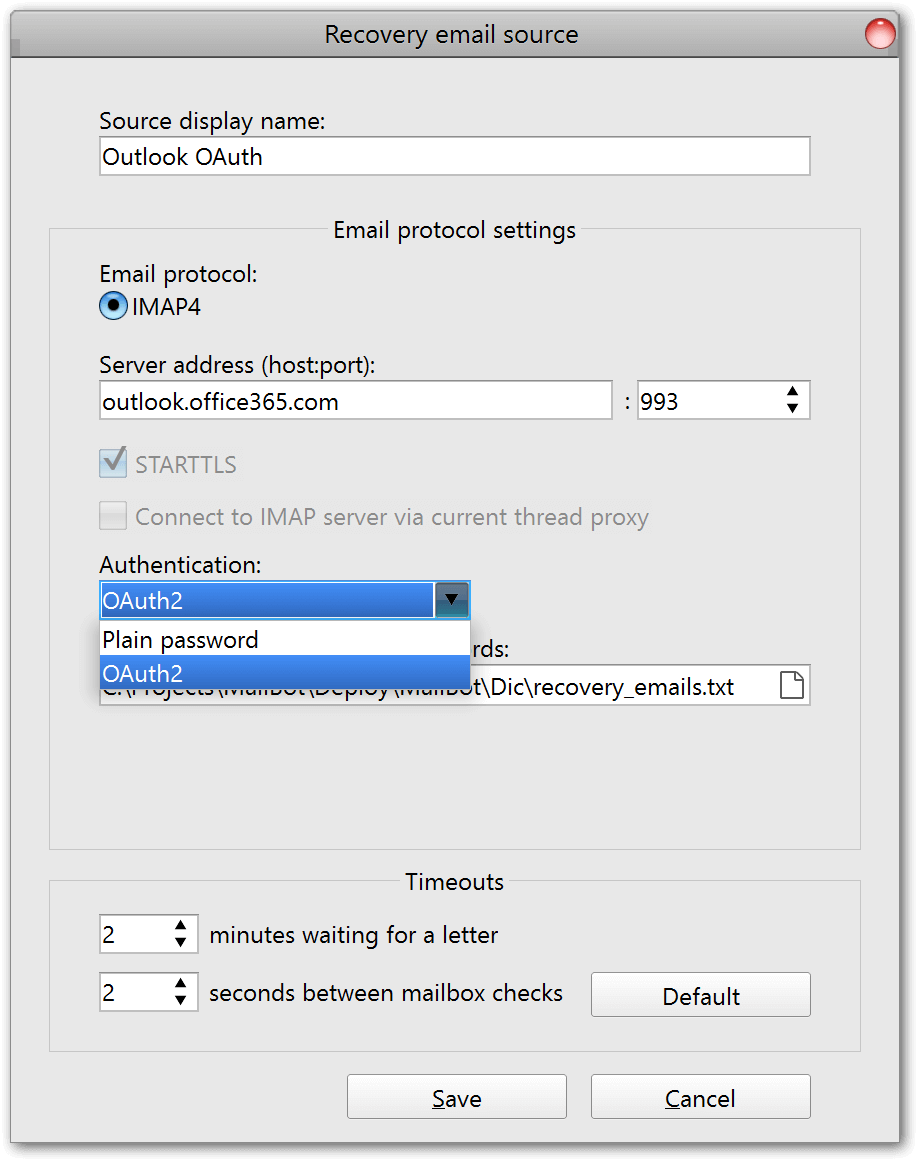
In connection with this, a new setting “Authentication” appeared in the recovery email source settings window in MailBot, which is a list with two values:
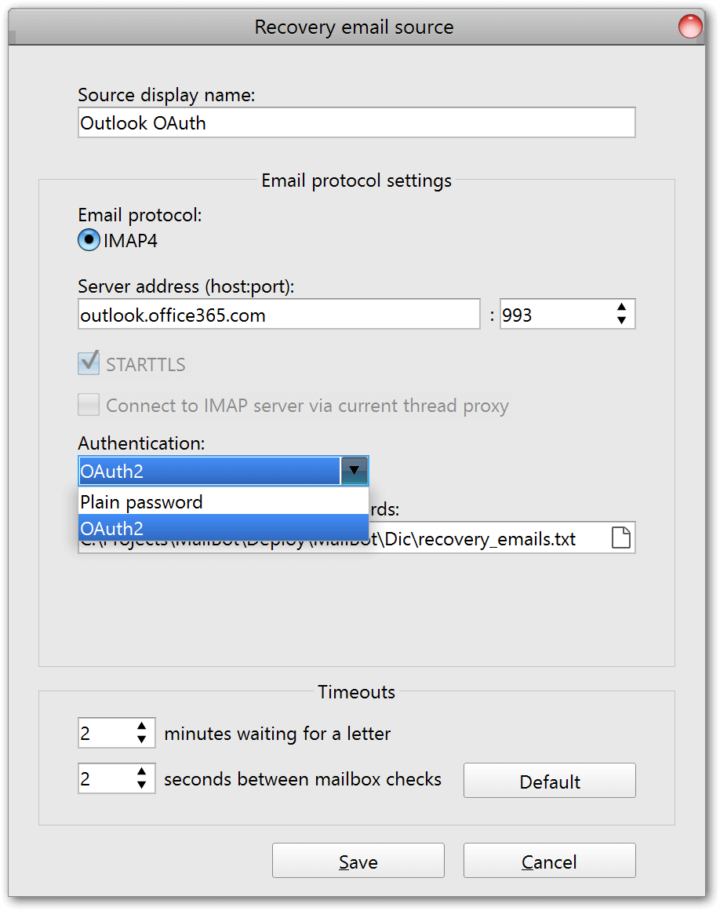
When connecting Outlook accounts as recovery emails, you now need to select only OAuth2, and the format of the recovery emails in the file should look like Read more »
tavel
\\ AOL, IMAP, Mail.ru, MailBot, O2.pl, OAuth2, Outlook, POP3, SMTP, Turnstile, VAK-SMS, WP.pl, Yahoo, recovery email, Yandex
MailBot has been updated to version 15.68.
Outlook/Hotmail
Activation of two-factor authentication (2FA) in accounts via TOTP has been implemented. After successful activation, a secret key will be stored along with the account data, which has the following form: 3hmkerjjj6cw7kfi3
It is absolutely not necessary to use the Microsoft/Google Authenticator app to get the code from this key, on the “Email features” tab in MailBot there is a completely similar code generator, which opens by clicking on the “TOTP…” button.
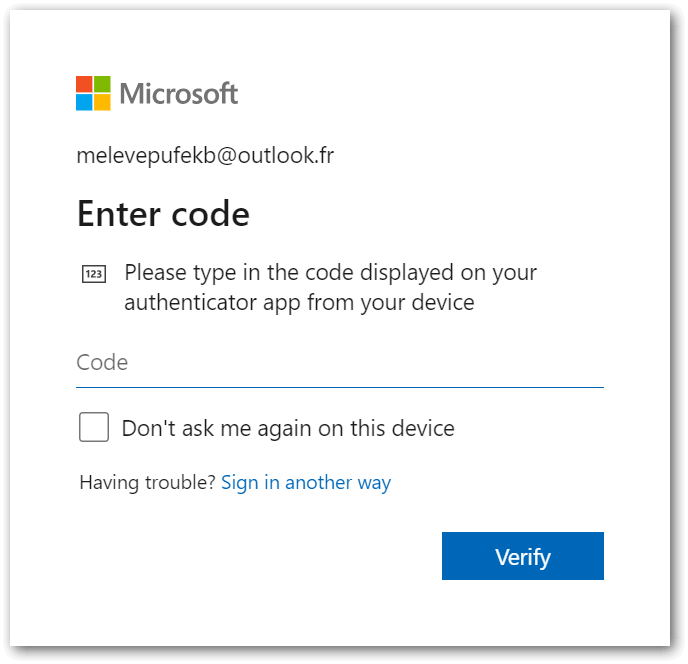
Without a secret key, it will still be possible to get into the account using, for example, a recovery email, in this case you need to click on the “Sign in another way” link on this form:
Despite this, it is strongly not recommended to uncheck the “OTP secret key” box on the “Export” tab, since TOTP is the fastest and most stable confirmation method.
The checker can now also bypass 2FA via TOTP if the account string has a secret key. If there is no secret key, but there is a recovery email with a password, the checker will still be able to authorize in the account by receiving an email with a confirmation code.
Attention! So far 2FA activation is implemented only after adding a recovery email to the account. Activation after phone number verification is planned in the next versions of MailBot.
Attention! After enabling 2FA in your account, it becomes possible to authorize via POP3/IMAP/SMTP only with app password, so this password is created automatically and saved along with the account data.
The application password looks like this: lbtmyfqaycrgsvxn
It is easy to confuse it with Read more »
tavel
\\ 2FA, AOL, funcaptcha, GMX.com, GMX.de, I.UA, IMAP, Mail.com, MailBot, Meta.ua, Outlook, TOTP, Web.de, Yahoo, avatar, unlocker, app password, recovery email, checker, Yandex
MailBot has been updated to version 15.33.
Instead of a patchwork of changes for all email providers, which is hard to read, let’s try to break down changelogs by email provider. Please send your opinions in which form you prefer to read the changelog.
Outlook/Hotmail
Implemented adding and verifying a recovery email in the creator, in the signup mode without phone verification. Previously, this was implemented only in the unlocker.
Verifying a phone number to enable SMTP is not necessary now, verifying the recovery email gives the same trust to the account as verifying the phone.
During the process two letters with confirmation codes are received on the recovery email, this is normal.
Creation of aliases is implemented in Outlook creator, checker and unlocker.
Attention! To create aliases in your Outlook account, it must has verified recovery email!
Attention! Outlook now allows you to create only 2 account aliases and only on the outlook.com domain!
The checker now is able to create Outlook mailboxes for Microsoft accounts created via phone number:
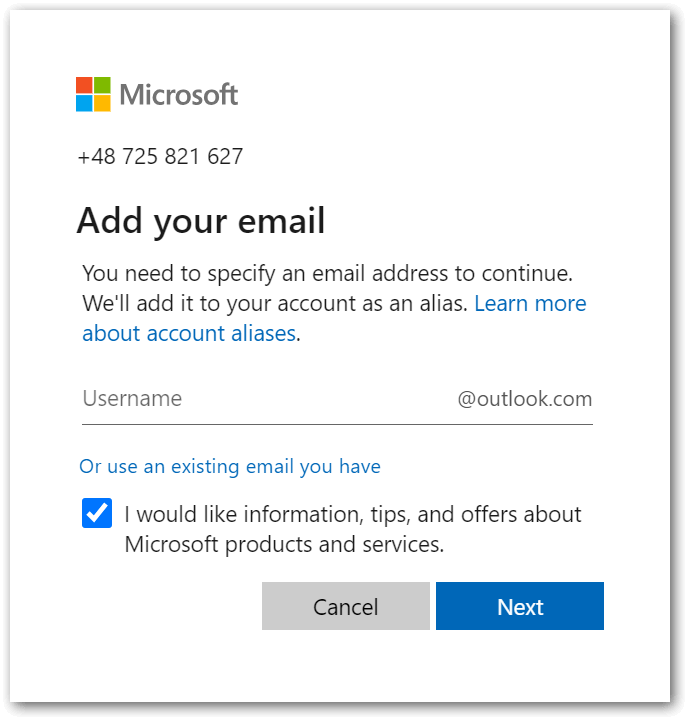
This allows you to finish creation of mailboxes for accounts in format +380983524927:V5p9axnJc, which were previously saved in “partially created” files.
When creating accounts via phone number, creator now updates Read more »
tavel
\\ 1st CAPTCHA, anycaptcha, GMX.com, GMX.de, GrizzlySMS, IMAP, inbox.lv, Mail.com, Mail.ru, Outlook, POP3, PVA, Runbox, SMS-Activate, SMTP, VAK-SMS, Web.de, creator, antispam, aliases, recovery email, checker
MailBot has been updated to version 14.26.
Important! For successful creation of WP.pl/O2.pl accounts, it is necessary to use dictionaries of exactly Polish names and surnames. Such dictionaries are supplied with MailBot, they can be found in the “Dic” folder, filenames start with “PL_…”.
Important! WP.pl/O2.pl allow account creation only from European IP addresses.
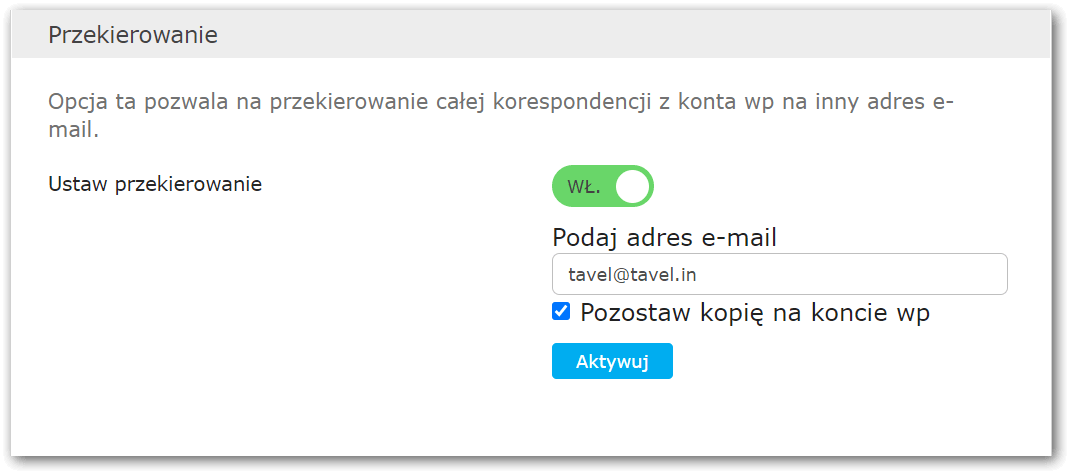
WP.pl and O2.pl now activate paid account features for free for 7 days after account creation. For example, this makes it possible to enable forwarding:
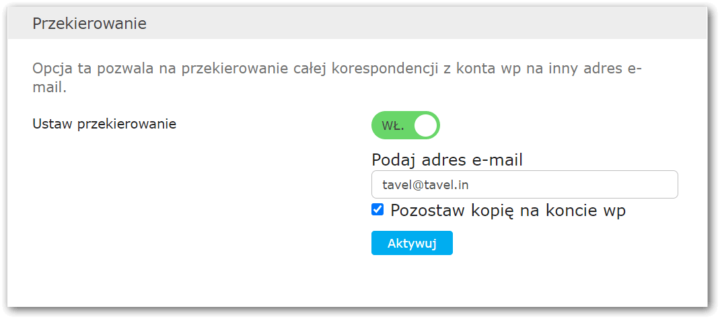
You can enable forwarding activation on created/checked accounts in the “Enable forwarding” panel on the “Accounts” tab in MailBot.
WP.pl/O2.pl creators and checkers now handle notification about Read more »
tavel
\\ funcaptcha, Hotmail, IMAP, MailBot, O2.pl, Outlook, POP3, PVA, SMTP, WP.pl, forwarding, checker

MailBot account creator updated to version 12.98.
Account creator and checker of Norwegian email provider Runbox was implemented.
New service is located on the “EU” sub-tab of the “Provider” tab.
There are 29 domains at your service:
- @runbox.com
- @mailhost.work
- @mailhouse.biz
- @messagebox.email
- @offshore.rocks
- @rbox.co
- @rbox.me
- @rbx.email
- @rbx.life
- @rbx.run
- @rnbx.uk
- @runbox.at
- @runbox.biz
- @runbox.bz
- @runbox.ch
- @runbox.co
- @runbox.co.in
- @runbox.dk
- @runbox.email
- @runbox.eu
- @runbox.is
- @runbox.it
- @runbox.ky
- @runbox.li
- @runbox.me
- @runbox.nl
- @runbox.no
- @runbox.us
- @xobnur.uk
as well as active access via IMAP, POP3 and SMTP.
It is enough to solve one hCaptcha and specify an alternative email to create Runbox account. You can use “Use randomly generated temporary mailbox” setting on the “Accounts” tab. POP3 / IMAP / SMTP activation occurs automatically after account creation.
Both the Runbox creator and checker support the creation of up to 5 aliases for each Runbox account. To create aliases, enable the “Create aliases” checkbox on the “Accounts” tab and select an exact or random number of aliases to create. Created aliases are saved in a separate file named “Runbox 2021.05.17 – 16.29.07 aliases.txt” in the “Accounts” folder.
Important! Each alias accepts mail on Read more »
tavel
\\ 2FA, AOL, IMAP, MailBot, POP3, Runbox, SMTP, TOTP, Yahoo, creator, aliases, checker
Page 2 from 7«12345...»Last »
|



 EzCaptcha — buy FunCaptcha Outlook/Twitter from $1.2/1K!
 RemProxy — budget, nimble proxies for any task
 The largest pool of residential proxies from $1.2. GEO. HTTP|SOCKS4/5
 MailerKing — best SMTP and webmailer ever!