Nov 10

MailBot has been updated to version 17.98.

Starting around October 8th, Outlook disabled POP/IMAP activation for all new accounts at the administrator level of the Microsoft Exchange server that hosts Outlook email!

Important! This restriction expires two days after account creation.

You won’t be able to activate POP/IMAP in a newly created Outlook account, even if you create it manually in a browser, confirm your recovery email, and enable the “POP” and “IMAP” switches in the “Forwarding and IMAP” section of your account settings:
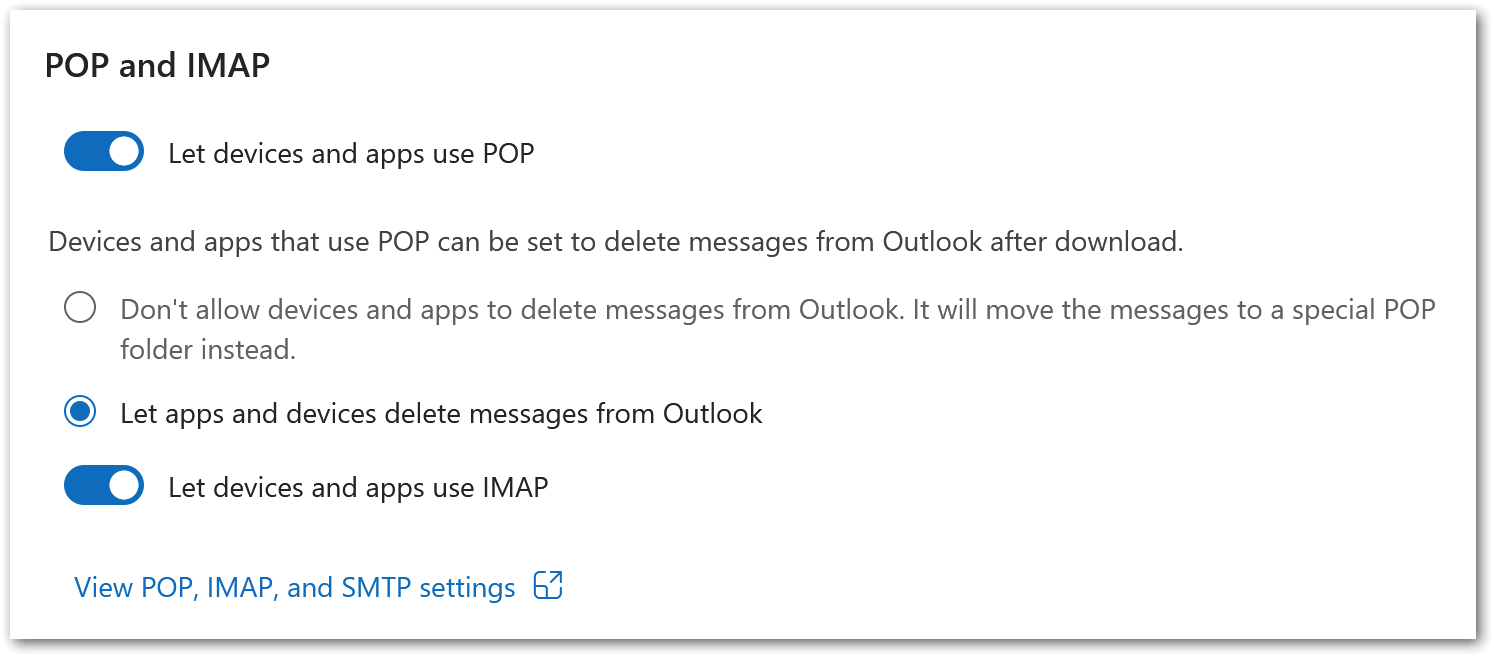
A screenshot of the POP/IMAP settings in an Outlook account

The switches will be drawn as enabled, but any HTTP requests that are sent will receive a 500 Internal Server Error response from the server with the following error JSON:

{
  "Body": {
    "ErrorCode": 500,
    "ExceptionName": "OwaInvalidOperationException",
    "FaultMessage": null,
    "IsTransient": false,
    "ResponseCode": "ErrorInternalServerError"
  }
}

You won’t see any error in the Outlook web interface. The IsTransient field, set to false, indicates that the error isn’t temporary, but caused by a configuration (policy restriction). In simple terms, this means Read more »
tavel \\ , , , , , , , , , , , , , , , , , , , , , , , , , , , , ,

Sep 11

MailBot has been updated to version 17.75.

In addition to exporting text account data and its cookies to the user’s server, export of created account aliases has also been implemented. The list of aliases is passed in the aliases parameter and is a Base64-encoded list of strings separated by a line feed character:

so08ua4s4@gmx.com:tazpRk62v25:v6fxsd0v1@gmx.com
so08ua4s4@gmx.com:tazpRk62v25:ful6df4mc@gmx.com
so08ua4s4@gmx.com:tazpRk62v25:ptl69c0z@gmx.com

An updated example of a server script that accepts a POST request from MailBot can be downloaded from this link. Also, this link, called “Server Example”, has been added to the “Export” tab in the program.

Outlook

Implemented:

  • invisible Human CAPTCHA solution to unlock accounts blocked by SMS verification requirement
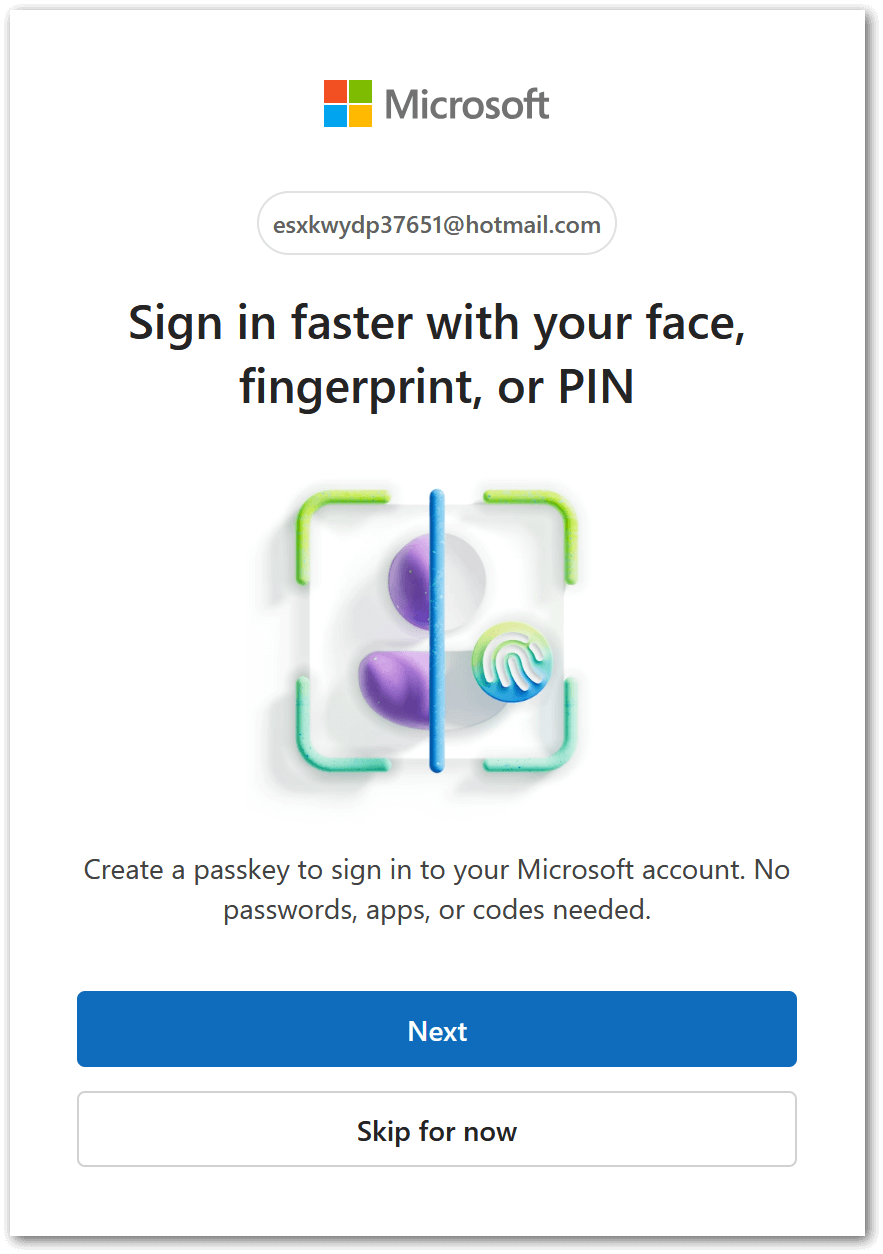
  • handling “Sign in faster with your face, fingerprint, or PIN” form:

    Form of proposal to create a passkey for an Outlook account

  • ClientId for OAuth refresh token is now parsed from Read more »

tavel \\ , , , , , , , , , , , , , , , , , , ,

Jun 16

MailBot has been updated to version 17.36.

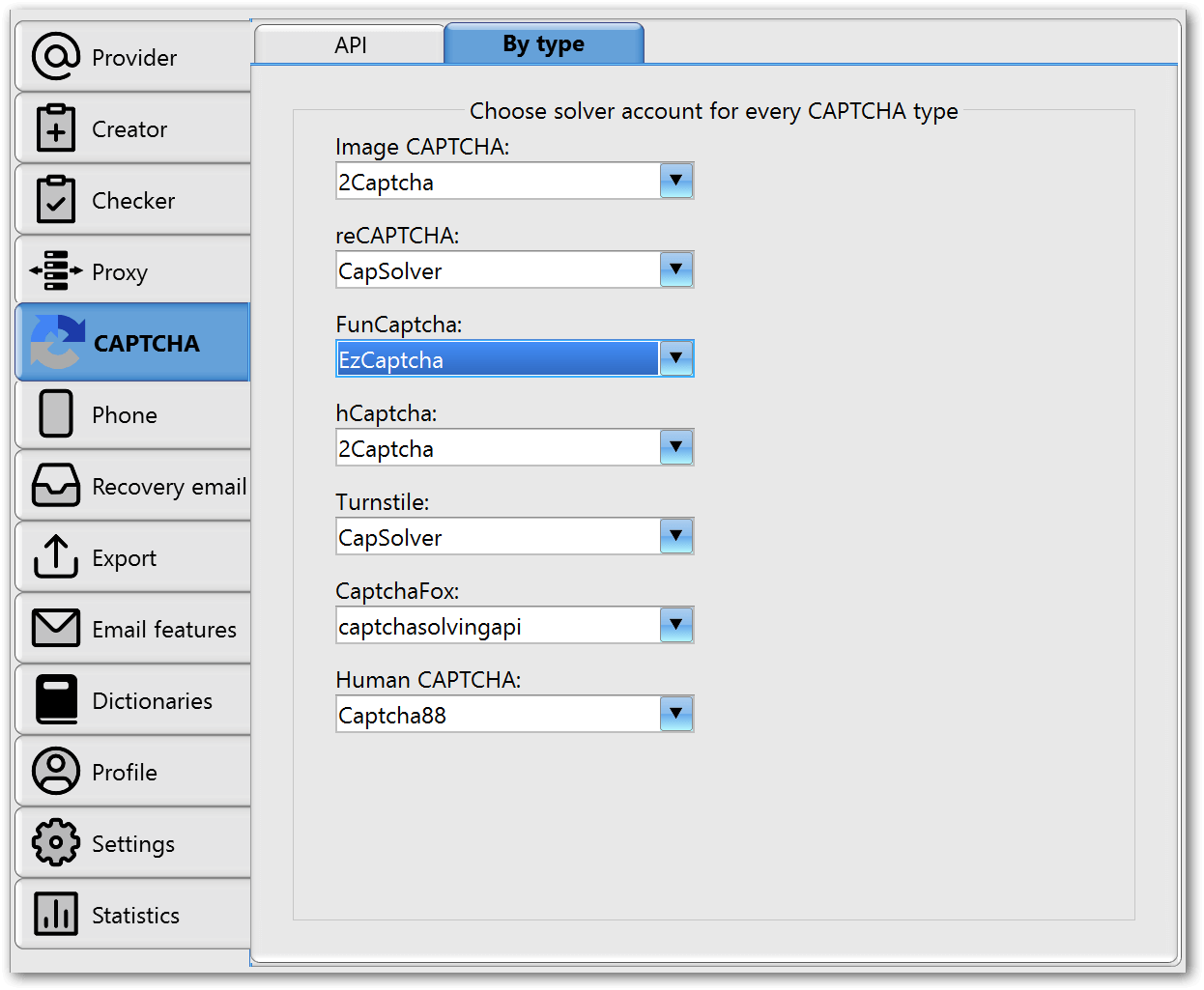
By popular demand a choice of CAPTCHA solver for each type of CAPTCHA separately has been implemented:

Selecting an account to solve each CAPTCHA type separately

The drop-down lists list the names of accounts that were previously added on the “API” subtab. This setting is very useful for email providers that use several types of CAPTCHA, for example GMX.com: CaptchaFox is used when creating an account, and an image CAPTCHA is used to activate email protocols (IMAP/POP3/SMTP). Previously, you had to either select a service that can solve both of these types of CAPTCHA (for example, 2Captcha), or first create accounts without activating email protocols, and later activate them with a checker, choosing another CAPTCHA solver. Now you can simply select the best solver in your opinion for each type of CAPTCHA separately, and it will always be used when a CAPTCHA of the corresponding type appears.

Outlook

Outlook has almost completely switched to a new protection when creating accounts: Human CAPTCHA. Previously, it was called PerimeterX, so Read more »

tavel \\ , , , , , , , , , , , , , , , , , , , , ,